
Overview
Documents remain at the centre of everyday business. Contracts need to be reviewed. Forms need to be completed.
Proposals need approval. Policies need to be distributed. Agreements need signatures. Records need to be stored and
managed. Yet many organisations still handle these processes through a combination of emails, attachments, manual
approvals, printing, scanning and multiple versions of the same document.
The challenge is not necessarily the document itself. It is everything that happens around the document.
A well-designed digital document workflow can help organisations simplify these processes, improve collaboration and
reduce unnecessary administration. Adobe Acrobat id built for business outcomes. describes Adobe Acrobat’s business
capabilities across creating, editing, commenting, combining, signing, protecting and sharing documents across desktop,
mobile and web
From Static PDFs to Connected Business Workflows
PDFs are often considered the final stage of a document: create it, save it and send it. Modern document workflows can
go significantly further. With Adobe Acrobat, teams can create, edit, combine, comment on, sign, protect and share PDF
documents from different devices.
For businesses, this creates an opportunity to rethink processes that still rely on unnecessary manual steps.
Instead of: Create → Email → Download → Edit → Reattach → Send → Print → Sign → Scan → Return organisations can
move towards more connected digital processes for reviewing, approving, signing and managing documents.
Make Document Collaboration Easier
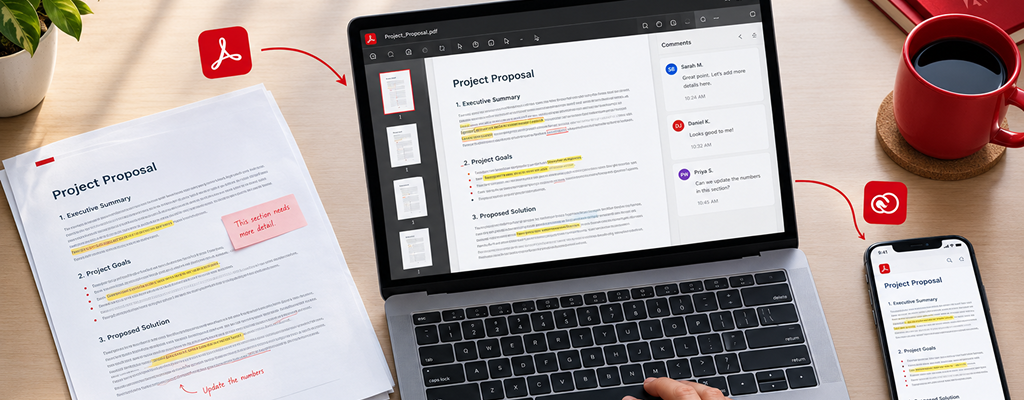
Document reviews can quickly become difficult when several people are involved. One person sends a document.
Another downloads it. Someone else makes changes. A new version is emailed back. Soon, employees are trying to
determine which attachment contains the latest information. Adobe Acrobat supports document sharing, reviewing,
commenting and markup, including collaboration through secure web links.
For organisations managing contracts, policies, proposals, reports or other important documents, a more structured
review process can reduce unnecessary back-and-forth and make collaboration easier to manage.
Move Approvals and Signatures into the Digital Workflow
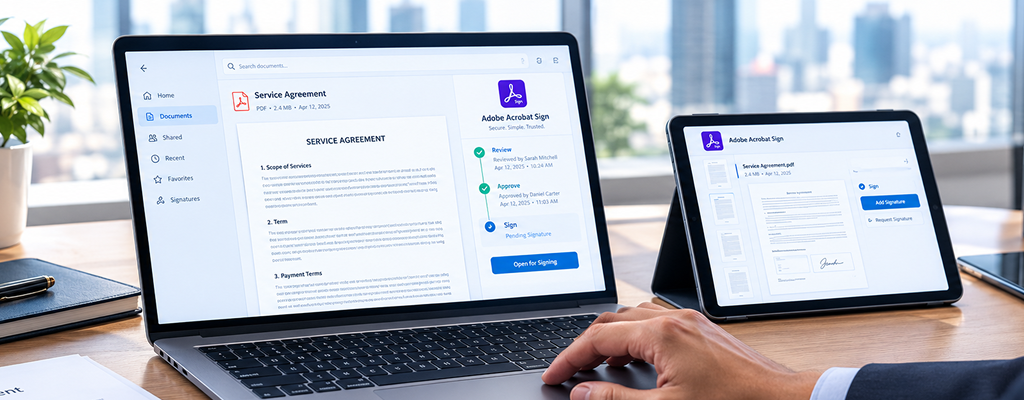
Signatures can become a significant bottleneck in document-heavy processes. Adobe Acrobat supports requesting and
collecting electronic signatures, while Adobe’s broader Acrobat Sign capabilities can route documents to different
participants and provide notifications and workflow controls.
- Supplier documentation
- Employee documentation
- Agreements and contracts
- Customer forms
- Internal approvals
- Policy acknowledgements
The business benefit is not simply eliminating paper. It is about creating a more connected process from document
preparation through to approval and completion.
Create More Consistent Document Processes
When every employee follows a different process, document management becomes harder to govern.
Adobe Acrobat Sign supports reusable workflow templates and can define documents, participants, form fields and
other agreement settings within those workflows.
For organisations with repeatable processes, standardisation can help teams reduce unnecessary variation and establish
clearer ways of handling common documents.
Improve Visibility Across the Document Journey
One of the frustrations with traditional document processes is not knowing what is happening after a document has
been sent.
- Is it waiting for approval?
- Has it been opened?
- Has someone signed it?
- Does another person need to take action?
Adobe’s Acrobat Sign capabilities include document tracking, notifications and visibility into document cycles. This can
help teams spend less time manually chasing the status of documents and give stakeholders clearer visibility into where
an agreement or approval sits.
Connect Documents with the Applications People Already Use
Document processes rarely operate in isolation. Employees may work across productivity platforms, CRM systems, HR
applications and other business systems. Adobe states that Acrobat and Acrobat Sign integrate with a range of
business applications, including Microsoft Teams, Salesforce and Workday, with additional enterprise integrations
available.
For businesses, integration matters because improving a document process should not require employees to constantly
move between disconnected systems. The objective should be to make documents part of the wider business
workflow.
Protect Business Documents More Effectively
Documents can contain commercially sensitive, confidential or personal information. Document productivity therefore
needs to be balanced with appropriate protection. Adobe lists password protection, access controls, sandboxing and
security updates among Acrobat’s business security capabilities.
The appropriate controls will depend on the organisation, type of information and wider security requirements, but
document security should form part of the overall workflow design rather than being treated as an afterthought.
Where Can Digital Document Workflows Create Value?
The opportunity extends across different areas of an organisation:
- Human Resources
Employee documentation, onboarding forms and acknowledgements.
- Finance & Procurement
Supplier documents, purchasing processes and approvals.
- Sales
Proposals, agreements and customer documentation.
- Legal & Governance
Contracts, policies and controlled business documents.
- Operations
Forms, reports, approvals and everyday documentation.
- Government & Public Sector
Internal approvals, administrative documentation and structured document processes.
The technology is only part of the conversation. The more important question is: Where is document friction slowing down your organisation today?
Better Document Workflows Start with the Process
Introducing another application does not automatically improve productivity. Organisations should first understand how
documents currently move through the business.
Where are employees manually entering information?
Where are approvals delayed?
Where are multiple document versions being created?
Where are signatures slowing down processes?
Where is unnecessary printing or scanning still occurring?
Once these areas are understood, organisations can determine where capabilities within Adobe Acrobat and related
Adobe solutions can help simplify the workflow
From Document Management to Business Productivity
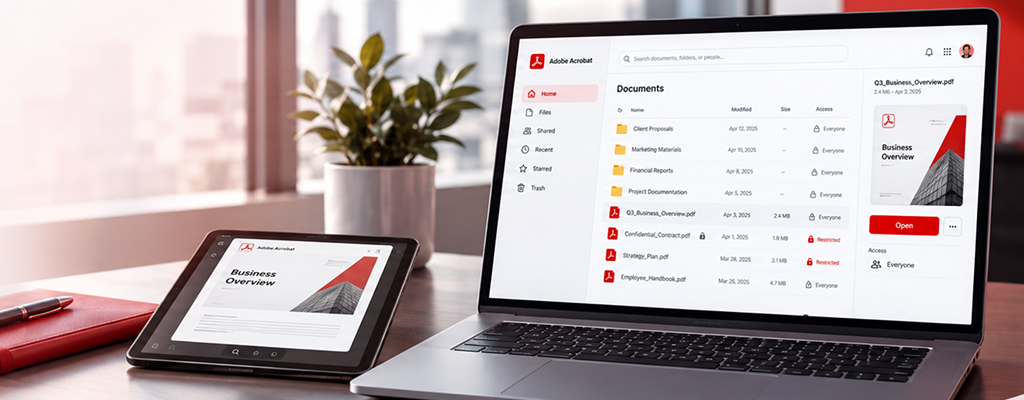
The real value of Adobe Acrobat is not simply the ability to work with PDFs. It is the opportunity to make document
creation, collaboration, review, approval and signing part of a more streamlined digital workflow. Adobe’s business
platform supports these activities alongside workflow automation and integrations with other enterprise applications.
For organisations handling large volumes of documents, improving these everyday processes can help reduce friction
and create a more consistent digital working environment.
Simplify Your Document Workflows with Teckonnect
As an Adobe Gold Reseller Partner, Teckonnect helps organisations identify the right Adobe solutions for their users,
business processes and technology environment.
Whether you’re reviewing Adobe licensing, looking to digitise document processes or exploring opportunities to improve
document productivity, the right starting point is understanding how your teams work with documents today.